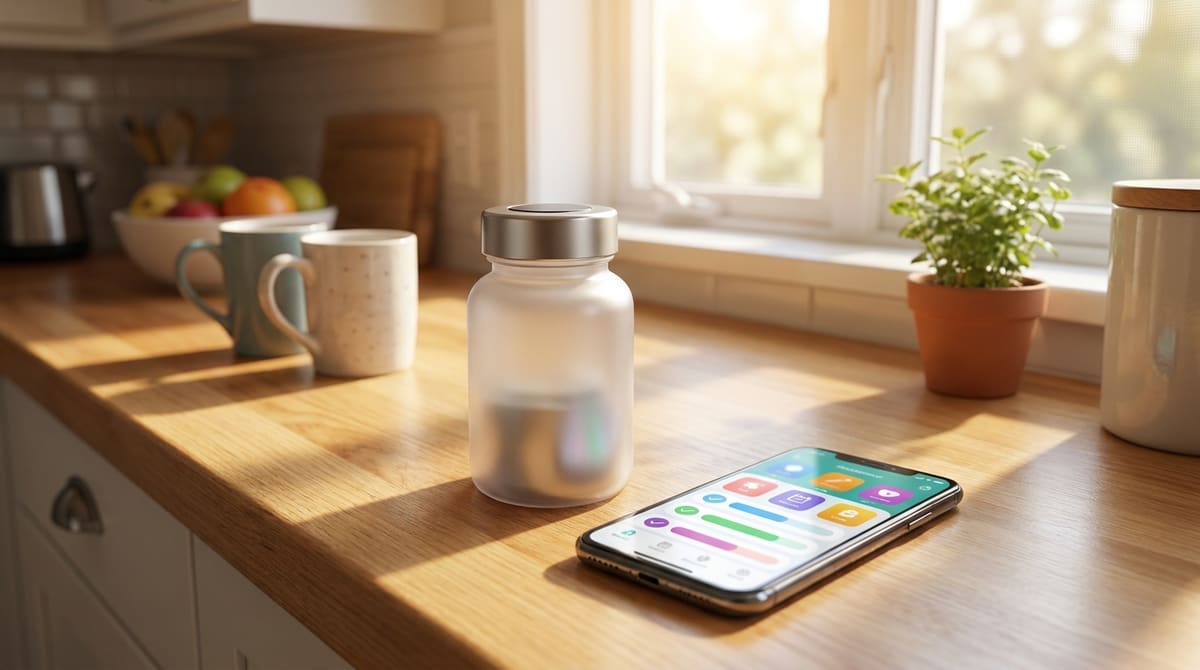
A smart pill bottle promises to solve medication tracking with hardware: a cap that logs every time it's opened, sometimes with a light or chime built in. A medication reminder app solves the same problem with software already living on a phone. They sound similar from a distance, but the gap between what each one actually catches is bigger than the marketing for either one lets on.
Track every medication from one app, no extra hardware to charge.
Try AmberCap free →What a Smart Pill Bottle Actually Does
A smart bottle logs the moment its cap comes off, which is a reasonable proxy for "a dose was probably taken." It's a single-purpose device built around a single prescription, so a person on more than one medication ends up with more than one bottle, each with its own light, chime, and charging cycle to keep track of.
What an App Adds That a Bottle Can't
A medication reminder app manages an entire schedule, not one bottle at a time, and it sends a family alert when a dose gets missed rather than just logging a timestamp nobody checks until later. The same phone already in a senior's pocket becomes the reminder device, which matters more than it sounds like once you're comparing it to a pill reminder app against an automatic dispenser or any other piece of dedicated hardware.
Free for one medication. Add the full list with Premium.
Get started with AmberCap →The Real Cost Difference
A smart bottle is a piece of hardware bought per prescription, often $40 to $100 before any monitoring subscription, and that cost multiplies with every medication added. A reminder app runs on a device the family already owns, so scaling up to five or six medications doesn't mean buying five or six more bottles.
Which One Actually Fits the Situation
A smart bottle can make sense for one high-stakes medication someone wants extra physical confirmation on. For everything else, and especially once more than one prescription is involved, a single app handling the whole list tends to be the simpler system to actually keep up with.
What Happens When the Bottle Gets Refilled Into a New One
A smart bottle's tracking history is tied to that specific bottle, so refilling a prescription into a plain pharmacy bottle, or transferring pills into a weekly organizer, breaks the tracking entirely without anyone necessarily noticing right away. An app-based schedule doesn't depend on which physical container the pills happen to be sitting in that week, which matters more than it sounds like once a prescription gets refilled a few times over.
Setup Time Is Part of the Real Comparison
A smart bottle typically needs its own app pairing, a charging cradle, and a fresh setup process for every new prescription it's used for. A medication reminder app already installed on a phone just needs a new entry added to an existing list, which is a noticeably smaller lift the second, third, and fourth time a schedule changes.
What a Smart Bottle Genuinely Does Well
None of this makes a smart pill bottle useless. For a single high-stakes medication where a family specifically wants a second, hardware-based confirmation layer beyond an app tap, a smart bottle adds a form of physical evidence an app alone can't replicate on its own. It's a legitimate extra layer, just not a full replacement for tracking an entire medication list.
Battery and Connectivity Are Their Own Maintenance Task
A smart bottle needs its own battery charged and its own bluetooth or wifi connection kept working, on top of whatever phone or tablet it's paired to. That's one more thing that can quietly fail without anyone noticing right away, a dead bottle battery looks identical to a skipped dose from the outside, which is worth factoring in before assuming the hardware adds pure reliability rather than one more moving part that can break.
What Happens When a Prescription Changes
A smart bottle is calibrated to a specific prescription, so a dosage change or a switch to a different medication often means starting over with setup, or in some cases buying a new bottle entirely if the old one doesn't fit the new pill size or bottle shape. An app-based schedule absorbs a prescription change as a simple edit to one entry on a list, without any hardware to reconfigure or replace.
A Reasonable Way to Decide, Not Just a Feature List
Rather than comparing feature lists point by point, it helps to ask one practical question: how many separate medications actually need tracking, and how often does that list change. A single, stable, high-stakes prescription can justify the extra hardware and cost of a smart bottle. A changing list of several medications, which describes most real households managing more than one condition, is generally served better by one app that adapts instantly instead of a growing shelf of individually paired bottles.
It's also worth asking who actually needs to see the confirmation, not just who takes the medication. A smart bottle typically reports back to its own manufacturer app, which may or may not make it easy to share that data with a family member the way a purpose-built family alert does by default. Check specifically for that family-sharing feature before assuming any smart bottle covers it out of the box, since it varies a lot between brands and is easy to overlook until it's actually needed. A quick look at the manufacturer's own support page, not just the product marketing page, usually answers this faster than trial and error after purchase, before any money changes hands or a return has to be requested.
Frequently Asked Questions
Is a smart pill bottle more accurate than an app?
It's accurate about one thing: whether the cap was opened. It can't tell whether a pill was actually swallowed, taken by the wrong person, or set aside for later. A medication reminder app tracks the same open-close moment through a confirmation tap, plus keeps a running history either way.
Do smart pill bottles work for more than one medication?
Most smart bottles are built around a single prescription, so managing five medications usually means five separate bottles cluttering a counter. A single medication reminder app handles an entire daily schedule from one place, which is where most of the real day-to-day difference shows up.
Which one is cheaper to set up?
A smart pill bottle is hardware, usually $40-$100 upfront per bottle before any monitoring subscription. A medication reminder app runs on a phone the family already owns, so the entry cost is close to zero even before comparing ongoing fees.
Can I use both at the same time?
Some families do, using a smart bottle for one high-risk medication and an app for everything else. It works, but it's worth checking whether the redundancy is solving a real gap or just adding a second thing to charge and monitor.